Coldwell Banker (Realogy) · 2019

Mortgage Calculator

Providing home buyers an easy way to estimate their monthly payments.

Role
UX Designer
Scope
Heuristic analysis, wireframes, UI design
Platform
Web — desktop & mobile
Tools
Sketch, InVision
Abstract geometric illustration in blue, green, and purple tones with dashed motion trails and layered card and chart shapes, used as a decorative banner for the Mortgage Calculator case study
01

Scope

Based on several surveys and user feedback sessions, there was an opportunity to enhance the Mortgage Calculator on the Coldwell Banker page. I conducted a competitive and heuristic analysis to identify areas of improvement. Our KPIs included the number of interactions and post-launch surveys.
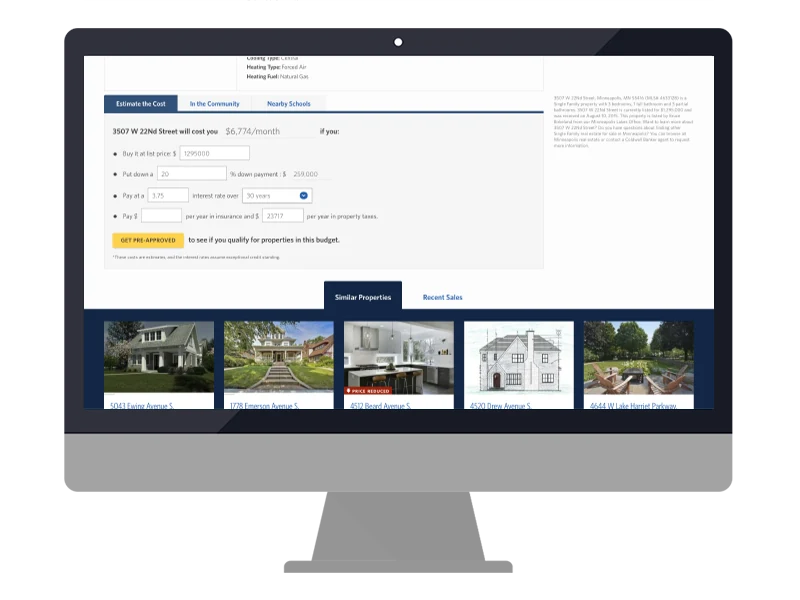

The original Coldwell Banker mortgage estimator, shown on a desktop monitor mockup — a sentence-style form ('3507 W 22nd Street will cost you $6,774/month if you...') with inline price, down payment, interest rate, insurance and tax fields, a yellow Get Pre-Approved button, and a row of similar-property thumbnails below
Heuristic-analysis diagram with a gridded bar chart comparing two metrics and an annotated callout bubble flagging a usability issue, from the competitive and heuristic review of the existing calculator
02

Structure

Knowing that 61% of our page views are on mobile devices, I needed to design a solution that was responsive to all device types. I wireframed a few solutions that would account for both desktop and mobile screens. In this stage, I'm focusing on the content and information hierarchy.
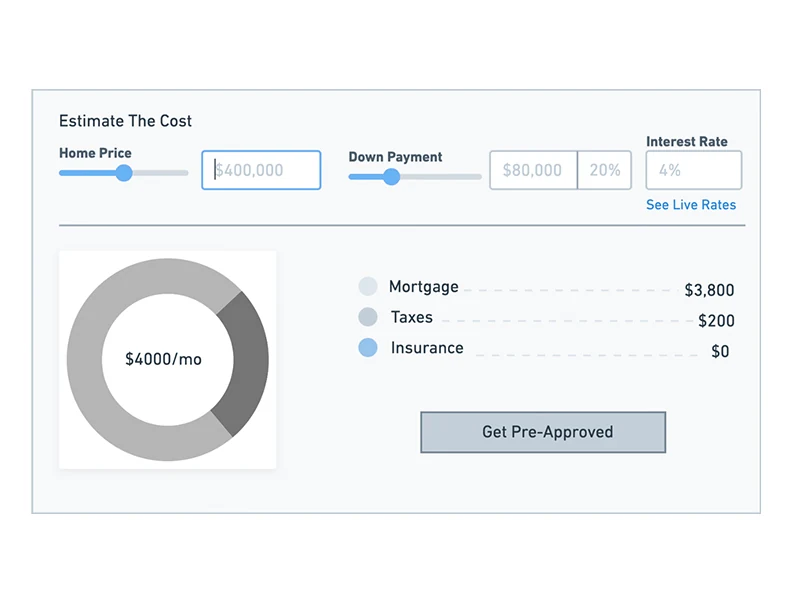
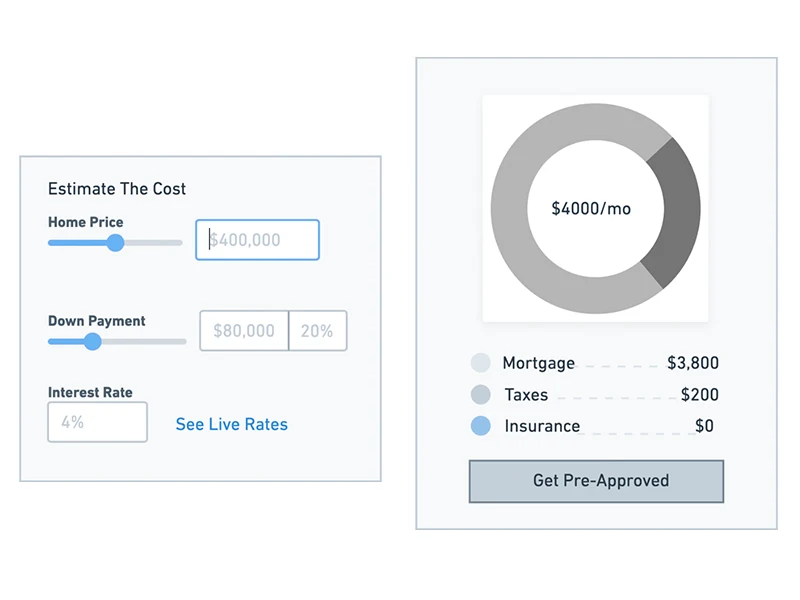
Wireframe of the 'Estimate The Cost' calculator — a single panel with Home Price and Down Payment sliders, an Interest Rate field, a 'See Live Rates' link, and a donut chart placeholder reading $4000/mo with Mortgage, Taxes and Insurance line items A second wireframe exploration splitting the calculator into two separate framed panels — an input form on the left and a standalone donut-chart results module with legend and CTA on the right
03

Final Designs

The final design carries the wireframe's hierarchy into a polished interface: purchase price, down payment, interest rate and loan type on one side, an at-a-glance payment breakdown — mortgage, tax, and insurance — on the other, ending in a clear call to get pre-approved. The same two-column layout adapts down to a single scrolling column on mobile without losing that hierarchy.

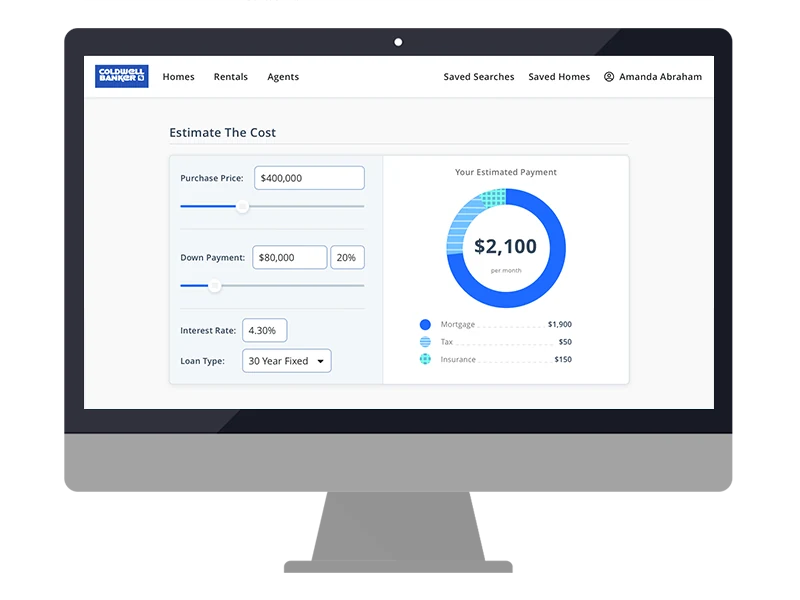
Finished desktop Mortgage Calculator on coldwellbanker.com — Purchase Price and Down Payment sliders, Interest Rate and Loan Type fields on the left, a blue donut chart reading '$2,100 per month' with Mortgage $1,900, Tax $50 and Insurance $150 on the right, followed by a 'Be Ready to buy your new home!' banner and a Get Pre-Approved button
The final desktop calculator design shown on an iMac mockup, with the Coldwell Banker navigation bar, input fields on the left and the $2,100/mo payment breakdown donut chart on the right
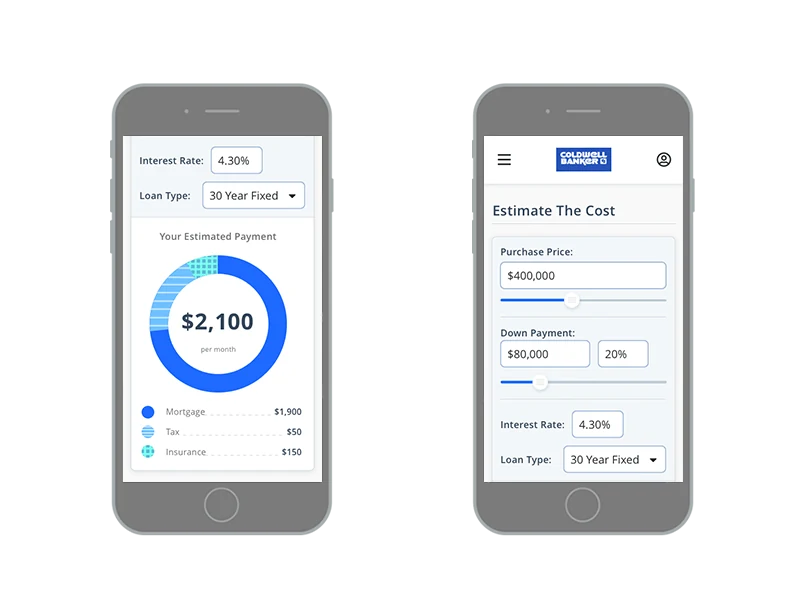
Two iPhone mockups of the mobile calculator — one showing the payment breakdown donut chart and legend, the other showing the top of the page with the Coldwell Banker header and the Purchase Price and Down Payment fields
04

Key Performance Indicators

Success here wasn't measured by a redesign for its own sake. The KPIs we set going in were the number of interactions with the calculator itself and post-launch user surveys — a way to check whether the fixes identified in the heuristic analysis actually changed how people used the tool, not just how it looked.

Wireframes, Designs: Alan Gi
Analysis: Evan Cony, Alan Gi
Development: Nathaniel Allread

Credits

Next Project

Coldwell Banker Selling Flow

View project